Video + image shopping galleries
Turn product pages into shoppable media experiences.
CartStora adds image and video galleries to selected Shopify product pages, helping shoppers see products in action before they buy.
Shopify App Store listing coming soon
See how it works
Image and video galleries Shopping actions in the gallery Native Shopify checkout
Storefront
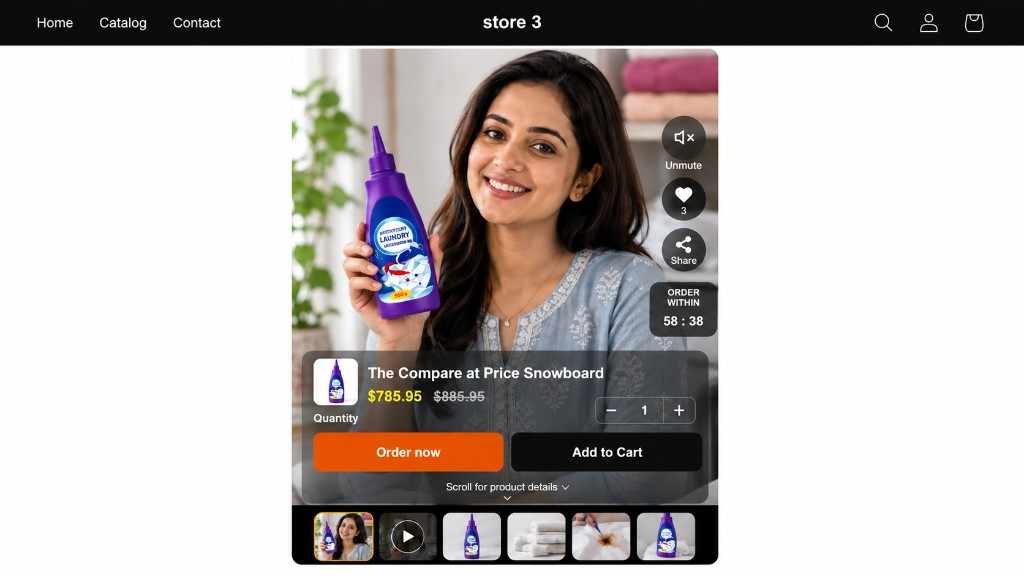
The gallery shoppers see on product pages
On selected products, CartStora replaces the native gallery with an image and video gallery. Shoppers can view images, play videos, like media, share, choose quantity, Add to Cart, and use Buy Now.
Checkout remains Shopify-native. Add to Cart and Buy Now remain part of the Shopify shopping flow.
- Image + video gallery
- Mute controls
- Likes
- Sharing
- Quantity
- Add to Cart
- Buy Now
- Optional countdown timer
Merchant dashboard
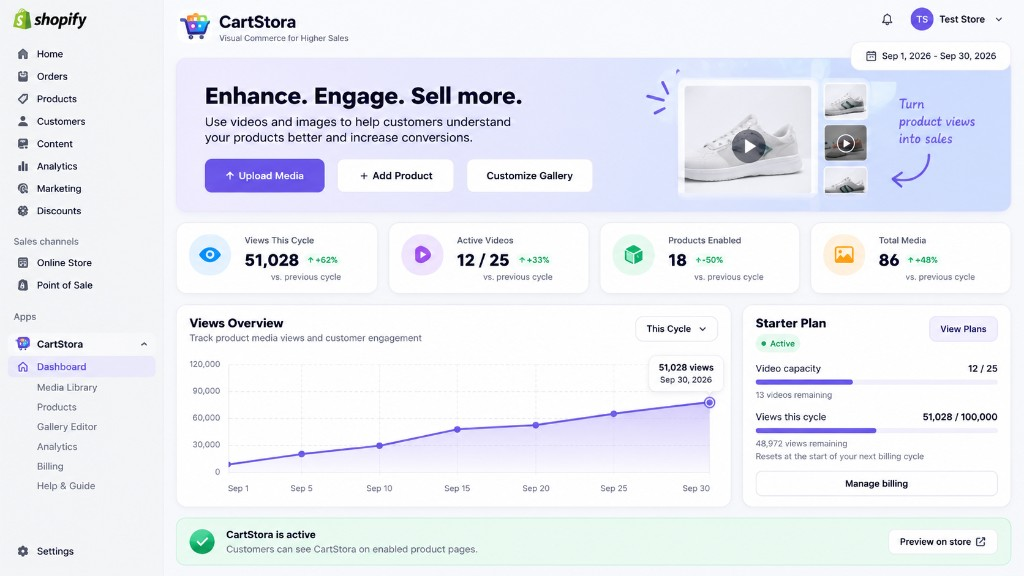
Manage media, products, usage and gallery activity from one place.
Merchants upload media, assign it to products, reorder gallery items, customize the gallery, preview the storefront, and enable the gallery on selected products.
- Media management
- Product setup
- Usage visibility
- Plan visibility
- Analytics access
Media Library
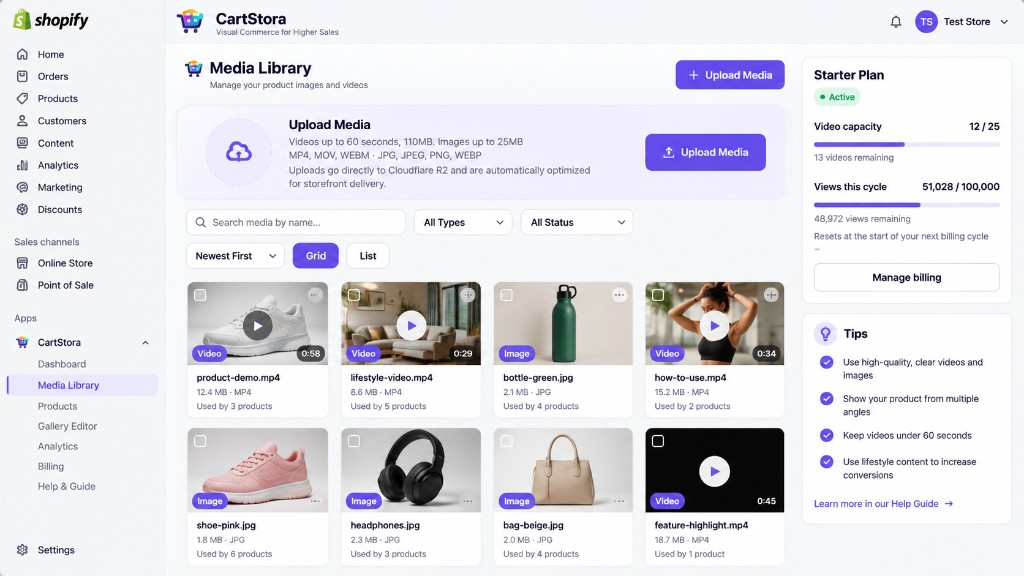
Upload once and reuse media across products.
Upload images and videos to a shared library, then assign that media to selected products. Reusing a video across products counts that unique video once toward active video capacity.
- Upload
- Image and video management
- Reusable media
- Product assignment
Setup
How it works
Add the CartStora Gallery app block
Upload media
Assign media to products
Customize and preview
Enable the gallery
- Media can be reused across products.
- CartStora replaces the native gallery on selected products.
- Checkout remains Shopify-native.
- Add to Cart and Buy Now remain part of the Shopify shopping flow.
Capabilities
What CartStora includes
Bring video into the product gallery
Add image and video galleries to selected product pages, with playback and mute controls.
Manage media from one library
Upload media once and reuse it across products from the shared Media Library.
Keep shopping actions in the gallery
Shoppers can use quantity controls, Add to Cart, and Buy Now without leaving the gallery.
Customize the storefront experience
Adjust gallery presentation, including optional countdown timer and native purchase-button hiding.
Measure media engagement
CartStora records gallery events such as view, like, share, add to cart, and buy now.
Fall back to the native gallery
When CartStora is inactive or views are exhausted, the native Shopify product gallery is used.
Analytics
Understand gallery activity
CartStora records gallery analytics events such as view, like, share, add to cart, and buy now, including share channel information.
Views
Likes
Shares
Add to cart
Buy now
Plans
Simple plans by active videos and views per cycle
Free
$0/month
No Shopify subscription
- 5 active videos
- 1,000 views per cycle
Starter
$10/month
Shopify subscription
- 25 active videos
- 100,000 views per cycle
Growth
$25/month
Shopify subscription
- 100 active videos
- 500,000 views per cycle
Pro
$49/month
Shopify subscription
- 500 active videos
- 2,000,000 views per cycle
Billing for paid plans is processed through Shopify.
FAQ
Common questions
What is CartStora?
CartStora is a product-media shopping experience built by Easyliving. It adds image and video galleries to selected Shopify product pages so shoppers can see products in action before they buy.
Where does the gallery appear?
The gallery appears on selected Shopify product pages where the CartStora Gallery app block is present and the gallery is enabled. On those products, CartStora replaces the native gallery.
Can I reuse media across products?
Yes. Media uploaded to the shared Media Library can be reused across products. Reusing a video across products counts that unique video once toward active video capacity.
What happens when the view limit is reached?
When views are exhausted, CartStora uses the native Shopify product gallery as a fallback.
Support
Need help with setup or billing?
Email support@cartstora.com for installation, theme setup, media uploads, product assignments, gallery configuration, billing questions, and analytics questions.
Add shoppable media to selected product pages
When the Shopify App Store listing is available, you can install CartStora and start with the Free plan.
Shopify App Store listing coming soon
Read the docs